UX Strategy
Campaigns App
Design and integrate a brand new marketing product with an already well established CRM platform
Summary
After 10 years focused on sales CRM, Pipedrive began a multi-product shift to better support high-value customers whose workflows were spread across multiple tools.
Following the acquisition of Mailigen, the Campaigns App was created to bring email marketing into Pipedrive.
In this case study, I focus on the contact management problem: aligning a legacy sales contact model with marketing requirements, compliance constraints, and subscriber-based billing.
My role
I was hired back in Pipedrive specifically for leading the design of this concept area. I worked closely with our Group Product Manager and Engineering Manager on the long term strategy and roadmap while delivering 2 or 3 missions in parallel. At the same time, I was providing guidance and mentorship to 8 other designers working on a variety of problem spaces. My role
Problem
While sales and marketing personas overlap across the customer lifecycle, their contact requirements differ significantly in validation, consent, and usage patterns.
Beyond the contact model itself, the project also required foundational work to support email delivery infrastructure, with strong support from the Mailigen team.
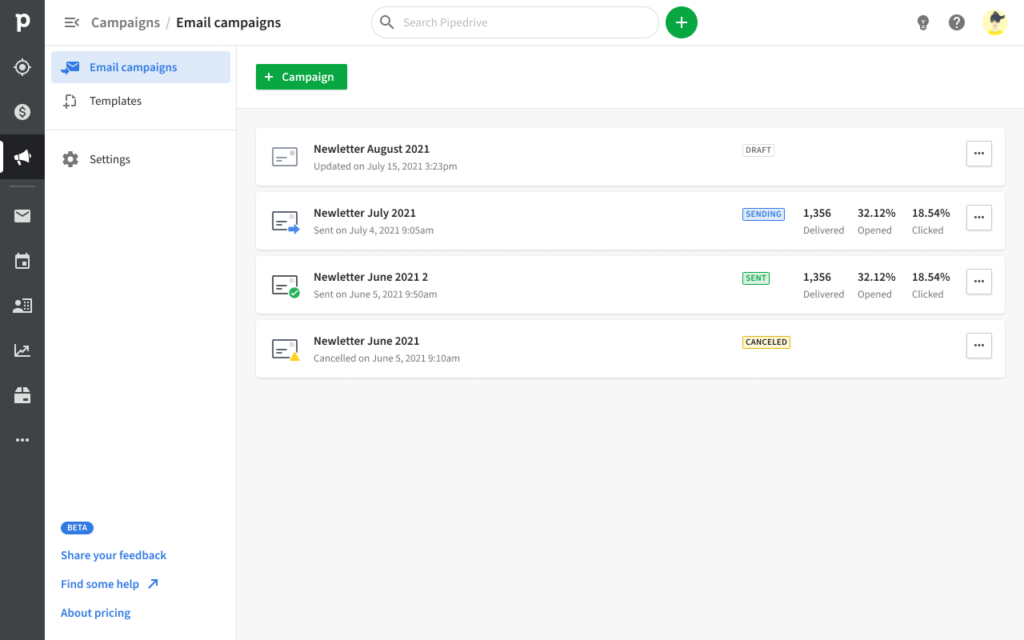
In parallel, we also had to integrate a drag-and-drop email editor to enable campaign creation. To reduce engineering scope, we chose to integrate the BEE Free template editor. While it provided a strong out-of-the-box solution, it imposed significant UX constraints, as we were limited to modifying the UI while the core interaction model remained defined by their product team.
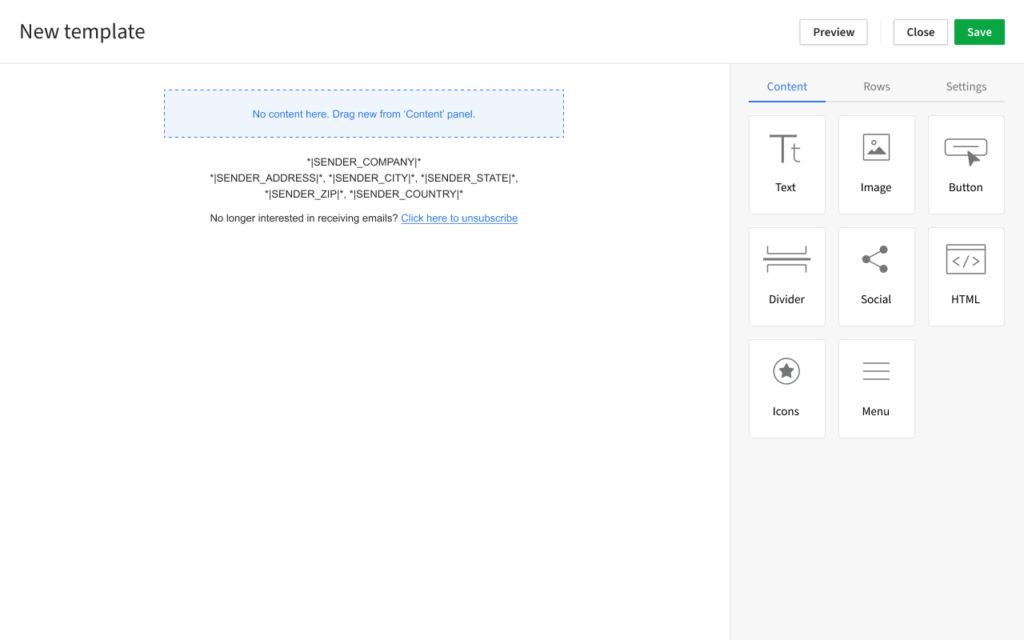
The most complex challenge, however, was aligning the existing Sales contact model with the new Marketing contact model. This required reconciling differences in validation rules, consent requirements (GDPR and other regulations), and usage patterns. Additionally, contact visibility settings in Pipedrive introduced edge cases that directly impacted marketing workflows.
As this was a nine-month product initiative, this case study focuses specifically on the contact management mission delivered within the broader Campaigns development phase.
Approach
We started by first looking at what was the current contact requirement in Pipedrive. We started by researching our two personas what is a contact for them. For salespeople, contacts are people with whom they create personal, in-depth one-on-one relationships. On the other hand, marketing contacts are people with whom they create automated, broad large-scale relationships.
The sales contact model in Pipedrive was as follows:
- Name (required in Pipedrive)
- Email (not validated, not required, multiple)
- Phone (not validated, not required, multiple)
- Demographics for salespitch
- Past behaviour for salespitch
The marketing contact model would usually be as follows:
- Email or phone (valid, required and unique)
- Marketing consent (as requried by GDPR, CAN-SPAM Act, and other legislations)
- Name (not required)
- Demographics for segmenting
- Past behaviour for segmenting
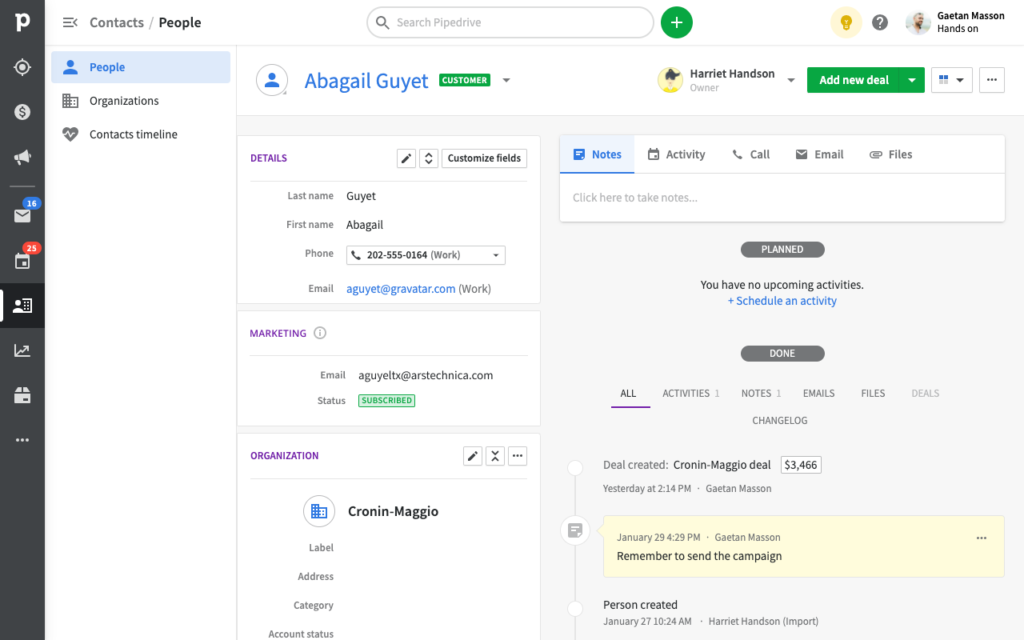
Finally, a major difference was our new marketing billing model. Traditionally Pipedrive had always been charging for its product on a per-user basis, the more salespeople you have, the more you pay. That doesn’t scale really well especially when automation allows the creation of highly efficient processes. To allow Pipedrive to grow with their user base, it was decided to bill for Campaigns App based on a per-subscriber basis.
Key design decisions
Modelling Marketing Status
The first question that we should have asked ourselves was: what is this marketing status and how will users use it? At the time we were pressed by really tight deadlines and we didn’t have the luxury of spending much time on the question. All information regarding contacts is called custom fields in Pipedrive.
At the time it seemed obvious to me that our new status was behaving differently from other custom fields:
Based on these differences, I advocated for treating Marketing Status as a dedicated field type rather than a regular custom field. Due to ownership gaps and timeline pressure, we shipped it as a standard field with additional logic.
| Marketing status | Custom field |
|---|---|
| Some values disabled the field (e.g. unsubscribed) | Can always be updated by users |
| Some values are system-generated (e.g. bounced) | Values are always user-generated |
| Tied to email field | Not tied to any other custom fields |
| Tied to our billing model | Not tied to a billing model |
| Updated by users’ customers’ actions | Updated by users’ actions |
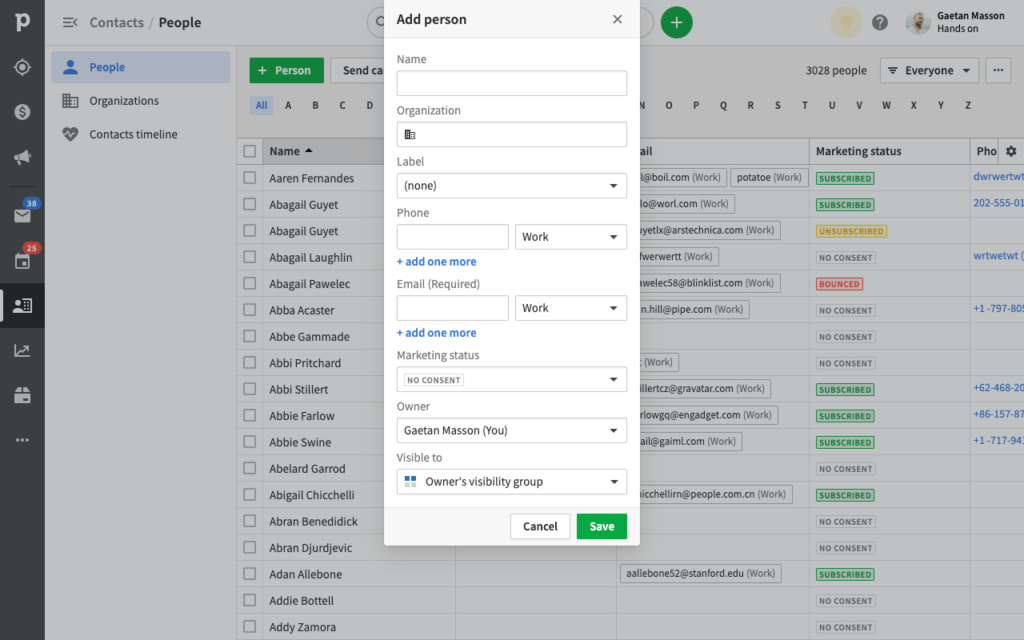
Bulk Actions vs Bulk Edit
We went through a lot of ideation and test phases with the Product Manager (PM) and the Engineering Lead (EL).
The first solution we wanted to explore was to design a new pattern for updating multiple items in list views: bulk actions. We already had the bulk-edit functionality in Pipedrive which allowed users to change multiple field values at once. Bulk actions would be similar but would always act on the whole contact rather than on a particular field (e.g. deleting, sending group email or subscribing to marketing communications).
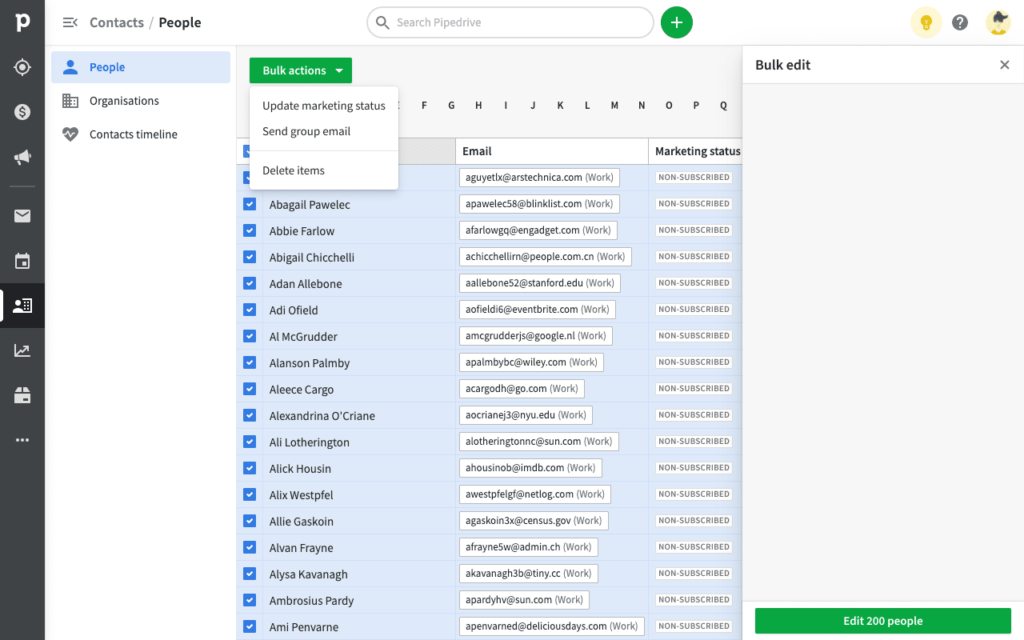
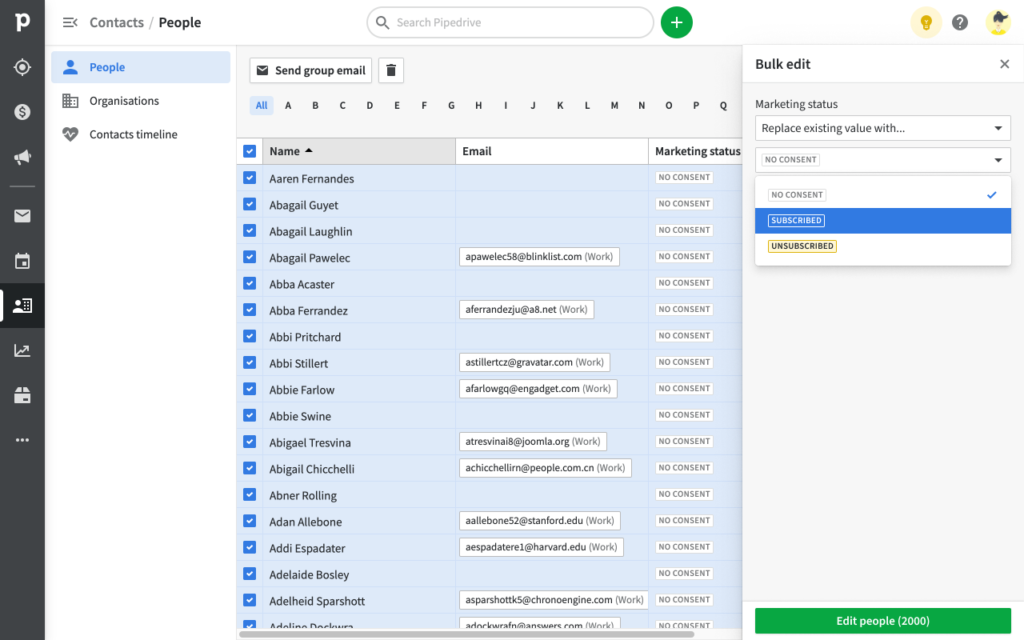
This solution seemed promising but there was a lot of pushbacks from both engineering and design alignment teams. At the time, stakeholders couldn’t see value in branching from current patterns. For them, marketing status should be treated as a normal field and therefore use the available bulk-edit function.
In the end, the PM and EL decided to follow the alignment teams advice because it was saving us a lot of engineering effort. If we would have gone with the bulk-actions pattern, which had some supporters too, we would have had to get all list views refactored and a lot of stakeholders to agree on this change.
Constraints & tradeoffs
It was really complicated to produce something functional with so much legacy and stakeholders. Contacts are one of the oldest entities in Pipedrive and with it came a lot of baggage. The biggest challenge for me was to keep on getting setbacks because of engineering constraints.
A recurring challenge was technical dependencies across legacy services. Several flows had to be redesigned when underlying services were not exposed as expected. This required continuous adaptation while maintaining delivery timelines.
Due to evolving technical constraints and service dependencies, several flows had to be redesigned during implementation. The final solution was a pragmatic compromise aligned with system limitations, which later informed a follow-up recipient management initiative.
Results & learnings
We released a beta version of the Campaigns App to a small group of selected customers and conducted ~20 user feedback interviews to understand early usage patterns around contact management.
What worked:
- Users were generally able to update marketing statuses successfully.
- Filtering felt intuitive to part of the user base.
What did not:
- Users didn’t fully understand why certain statuses (e.g. unsubscribed) were locked.
- Bulk updates lacked a clear confirmation summary.
- Some users expected segmentation instead of filtering.
Before I left Pipedrive, more usability testing was planned to scope for the next mission planned on this topic: Recipients Management.